Posts

No URL showing in GWT 2.0 Development mode

I've had some problems starting GWT 2.0 projects in Eclipse with the build-in Jetty server. The problem was that no URL was showing in the Development Mode tab, and the project didn't seem to start properly. This problem only occures when i generate project files with the maven-eclipse-plugin. Both in Linux and Windows. To fix the problem, add the project natures by hand to the maven-eclipse-plugin configuration. This is what my configuration looks like: maven-eclipse-plugin com.google.gwt.eclipse.core.gwtNature com.google.gdt.eclipse.core.webAppNature com.google.gwt.eclipse.core.gwtProjectValidator com.google.gdt.eclipse.core.webAppProjectValidator org.eclipse.jdt.launching.JRE_CONTAINER com.google.gwt.eclipse.core.GWT_CONTAINER com.google.gwt:gwt-user com.google.gwt:gwt-dev If you find something that isn't necessary please reply to this post.
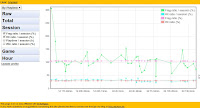
"Statistics" for QuakeLive

Image
At work we're using GWT for a couple of projects now but we have never used the  MVP pattern  recommended by Google. So to learn it i wrote a small application called Quake Statistics that uses the recomendations. The app pulls data from  quakelive.com  each night and can plot the it along with some very basic analysis. It's actually motivation to see if you're getting better at the game. Of course this was also an excuse to get to play quakelive more, to test the stats :) The application can be accessed at  http://quakestatistics.appspot.com  and if you want to play around with some example data you can try my profile . Since i don't have that many users the page can be a bit slow because AppEngine have to restart after 1 min idle time. Yes, i know. The design desperately need some (a lot of) improvements but unfortunately i'm a programmer not a designer. Right now I am in the process of rewriting the app for GWT 2.0 so if you want to help ...

Environmentally friendly programming

When someone talks about CO2 emission, we usually think about big industries, cars and light switches. We don't think about code efficiency. But "bad" code is actually bad for the environment. A couple of days ago I read a post that made me think about programming and the environment. It's not a long post and i recommend all developers to read it. The conclusion of it was that: If C++ would have been used instead of PHP [on facebook], then 22 500 servers could be powered down (assuming a conservative ratio of 10 for the efficiency of C++ versus PHP code), or a reduction of 49 000 ton [CO2]. In a small scale it doesn't matter much if you write inefficient code. But if you're working on applications/systems that will be run by a lot of people, especially in a server environment, the difference is huge. I'm not suggesting that we should super optimize our code, because code that is too optimized is often hard to maintain and might cause similar effects....

jQuery Floating Header Plugin v1.1.1

New version out which fixes a lot of problems width CSS selectors. Check out the plugin on my old post , or on jQuery.com , or at the new google code project page for all my little projects.

jQuery Floating Header Plugin v1.1.0

After many bad versions and patches on the plugin i've managed to actually test it with a bunch of browsers and i must say that it's working pretty good. There are of course still some issues on IE6, but since everyone hates that browser i don't really care. Check out the plugin on my old post , or on jQuery.com , or at the new google code project page for all my little projects.

jQuery floating header plugin 1.0.6 released

Finally the plugin have some support for IE6 and 7. Read more on the current project page . I've also decided to gradually migrate the project to my Google Code project .

Eclipse Resource Filtering

Today i found a solution to the single most irritating thing with Eclipse. To not be able to filter away resources from the Open Resource dialog. This was of course possible but I've never even thought about it until a coworker passed me this link . I quote: The trick is to open the "Navigator" view, right click on the folder to be ignored, and check the "Derived" property. This option informs Eclipse that this folder consists of generated resources that should not be directly edited. Once this is done, the "Open Resource..." view will only show matches that would be relevant to the developer.