Posts

Showing posts with the label gwt

Width of an element in javascript

When starting with the gwt-floating-header project i ran into some problems with getting, what i call, the" true width" of an element in javascript. With "true width" i mean the width of the element excluding padding, border and margin. And because i'm writing for GWT I don't have luxury of be able to use the .width() function in jQuery. It took me a while to get the script to this point and i'm not really sure if it works for all browsers but it might help someone to get started. function width(element) { var style = element.currentStyle || element.ownerDocument.defaultView.getComputedStyle(element, null); var safe = function(v) { return parseInt(v, 10) || 0; }; return element.offsetWidth - safe(style.paddingLeft) - safe(style.paddingRight) - safe(style.borderLeftWidth) - safe(style.borderRightWidth); } GWT version of this snippet can be found here . Please let me know if you find any strangeness or incompatibilities in the code. E...
Floating table headers for GWT

Today I've created a Google code project for the GWT port of my  jQuery floating header plugin . It's a very lightweight library that already supports both column and row headers. Since the code base is very young i haven't had the chance to try the compatibility with a lot of browsers but in time i might do this. The project is available at:     http://code.google.com/p/gwt-floating-header/ .

No URL showing in GWT 2.0 Development mode

I've had some problems starting GWT 2.0 projects in Eclipse with the build-in Jetty server. The problem was that no URL was showing in the Development Mode tab, and the project didn't seem to start properly. This problem only occures when i generate project files with the maven-eclipse-plugin. Both in Linux and Windows. To fix the problem, add the project natures by hand to the maven-eclipse-plugin configuration. This is what my configuration looks like: maven-eclipse-plugin com.google.gwt.eclipse.core.gwtNature com.google.gdt.eclipse.core.webAppNature com.google.gwt.eclipse.core.gwtProjectValidator com.google.gdt.eclipse.core.webAppProjectValidator org.eclipse.jdt.launching.JRE_CONTAINER com.google.gwt.eclipse.core.GWT_CONTAINER com.google.gwt:gwt-user com.google.gwt:gwt-dev If you find something that isn't necessary please reply to this post.

"Statistics" for QuakeLive

Image
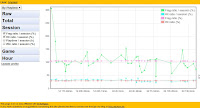
At work we're using GWT for a couple of projects now but we have never used the  MVP pattern  recommended by Google. So to learn it i wrote a small application called Quake Statistics that uses the recomendations. The app pulls data from  quakelive.com  each night and can plot the it along with some very basic analysis. It's actually motivation to see if you're getting better at the game. Of course this was also an excuse to get to play quakelive more, to test the stats :) The application can be accessed at  http://quakestatistics.appspot.com  and if you want to play around with some example data you can try my profile . Since i don't have that many users the page can be a bit slow because AppEngine have to restart after 1 min idle time. Yes, i know. The design desperately need some (a lot of) improvements but unfortunately i'm a programmer not a designer. Right now I am in the process of rewriting the app for GWT 2.0 so if you want to help ...

Getting a FacesContext from a GWT service

I'm working on a project where we needed to integrate JSF and GWT. To be more specific, we needed to have access to JSF beans in the GWT services. Because I missed the methods getThreadLocalRequest() and getThreadLocalResponse() in RemoteServiceServlet, I had to search quite a bit before i found an answer to this problem. So to save others some time i post the class i came up with. Most of the code is taken from an article at ocpsoft.com which also points out how important it is to release the context when you're done with it. The big difference are the lines, UIViewRoot view = facesContext.getApplication().getViewHandler().createView(facesContext, "gwtViewID"); facesContext.setViewRoot(view); , which sets the view root. If no view root is set you can't use, for instance MessageBundles. The getBean methods are only convenience methods for retrieving beans by name. /** * A substitute for RemoteServiceServlet that has access to the FacesContext. */ @Sup...